Taegis Integration
Integrate TrapEye with Secureworks Taegis™ using the HTTP Ingest Connector to forward threats and interactions in real-time.
Taegis Configuration
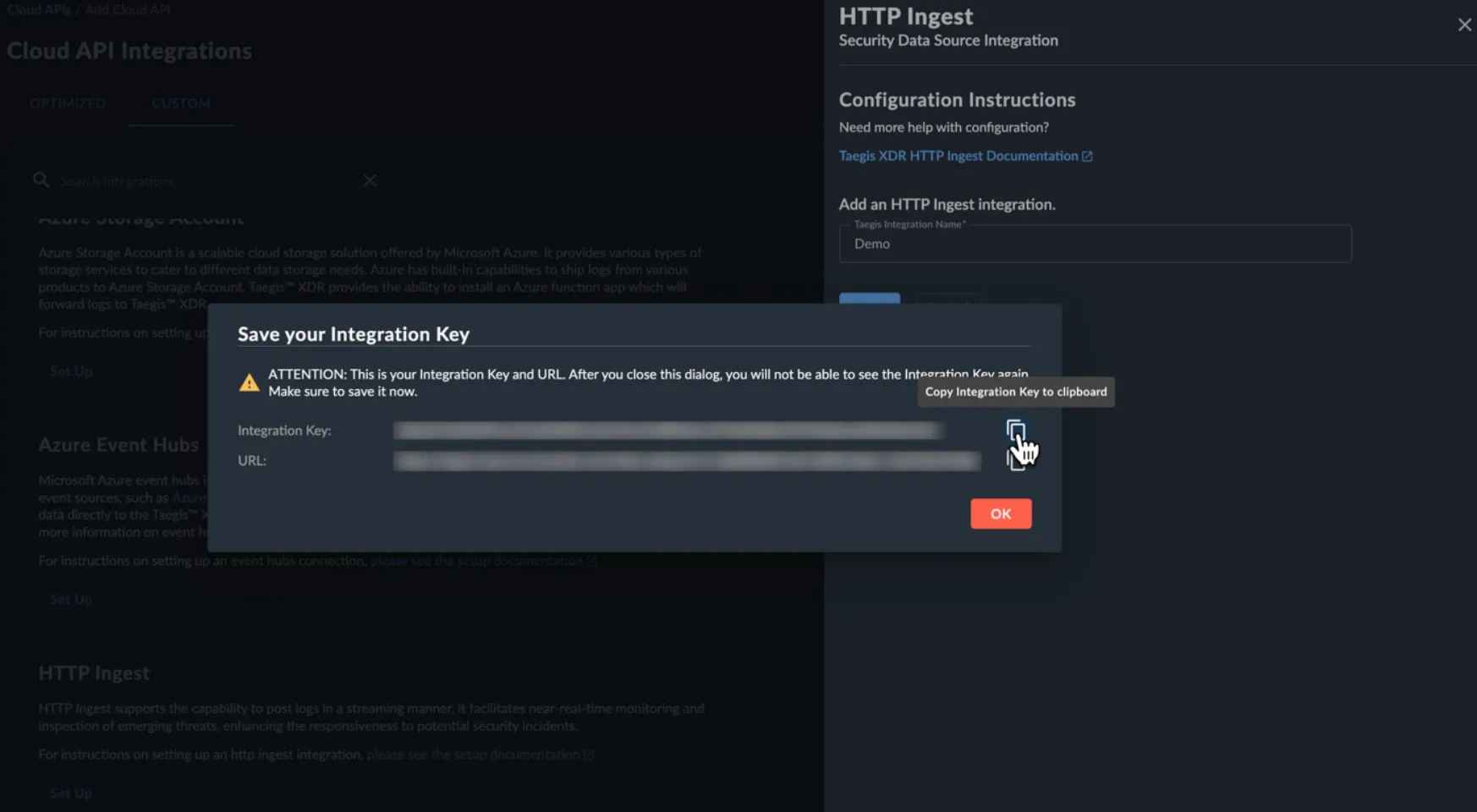
Section titled “Taegis Configuration”Follow the documentation from Secureworks to create a new HTTP ingest key: https://docs.taegis.secureworks.com/integration/connectCloud/http_ingest/
Copy the generated Integration Key and URL, you will need it for the TrapEye configuration.
TrapEye Configuration
Section titled “TrapEye Configuration”With the Taegis HTTP Ingest configuration completed, the next step is to configure TrapEye to send events to the Taegis ingestor.
Log in to the TrapEye Platform.
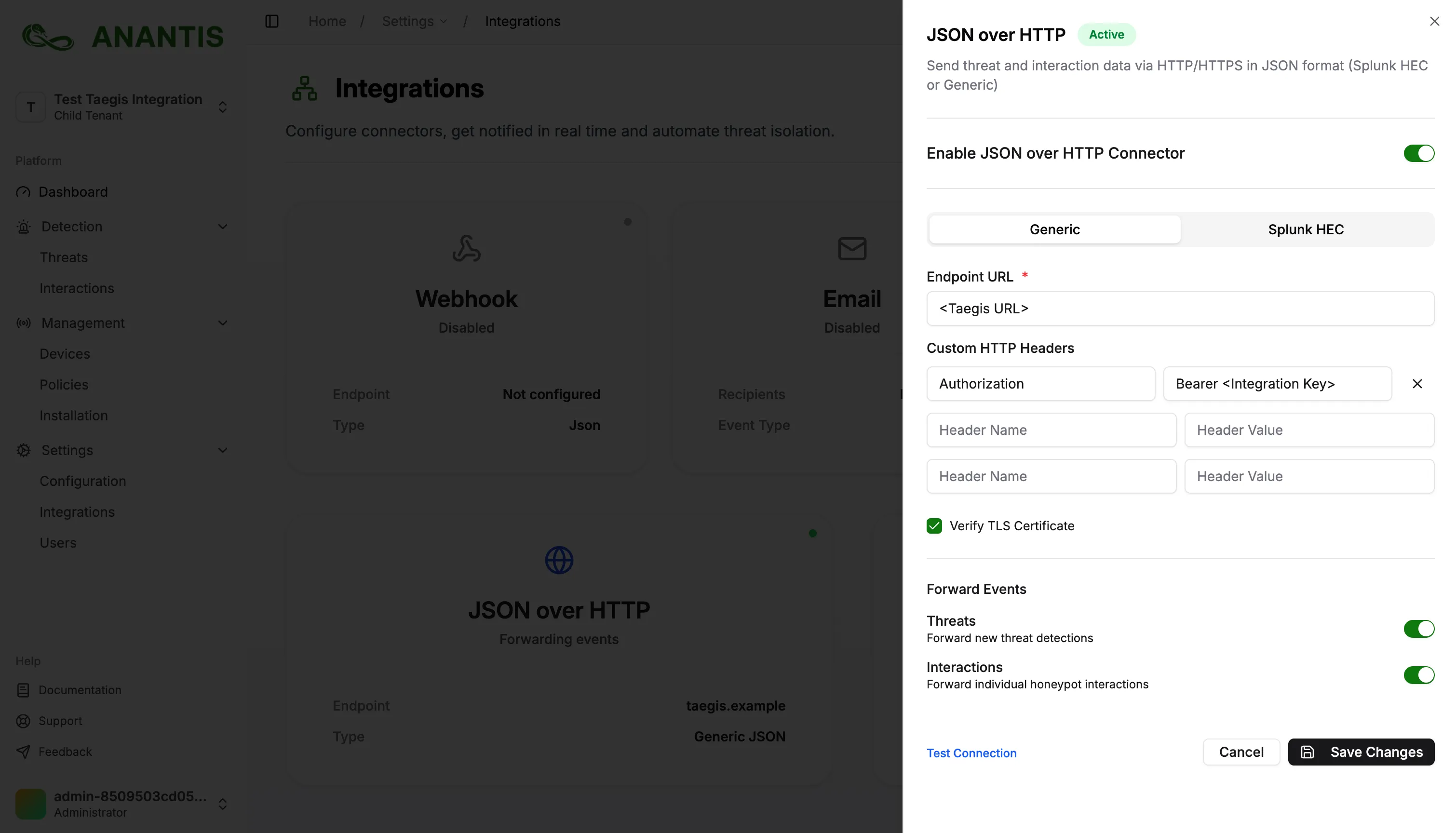
Navigate to the Connectors section and choose the JSON over HTTP connector.
Stay in the generic tab, and paste the Taegis URL copied earlier in the Endpoint URL field.
In the HTTP Headers section, add a new header:
- Key:
Authorization - Value:
Bearer <Your_Taegis_Integration_Key>
- Key:
If your Taegis instance uses a self-signed certificate, uncheck:
Verify TLS CertificateClick Save Changes.
Verify Log Flow
Section titled “Verify Log Flow”Once your connector is enabled, click Test Connection.
If everything is correct, TrapEye will display:“Test event sent successfully.”
In Taegis, verify that events are received.
TrapEye allows you to forward Threat events, Interaction events, or both. Enabling Forward Interactions provides full visibility into attacker behavior and interaction details directly in Taegis.
Integration Complete
Section titled “Integration Complete”TrapEye is now successfully connected to Taegis™ via the HTTP Ingest Connector.
You should begin receiving real-time threat and interaction events in your Taegis tenant.